An agent can work in a demo.
Execute simple tasks.
Call tools.
And even return a correct result.
But that still does not mean it is ready for real work.
In a real environment, an agent mistake can:
- Modify data
- Spend money
- Or call an external service
That is why there is a difference between a prototype and a production system.
Prototype vs Production
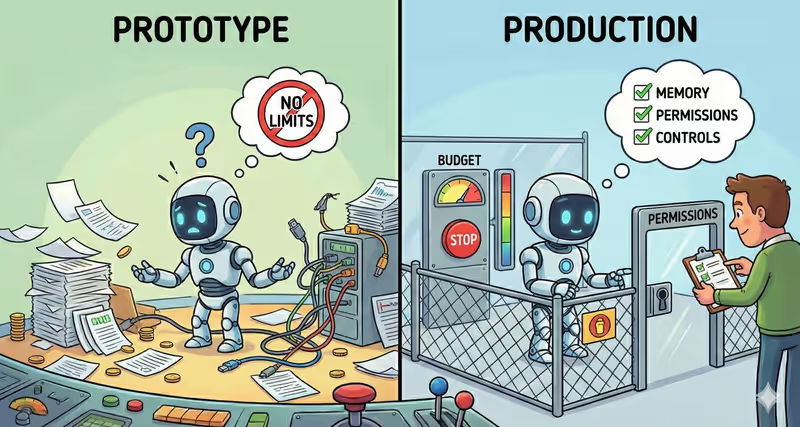
A prototype shows that an agent can complete a task.
But it does not guarantee it will do this safely.
In a demo:
a mistake is just a wrong result
In production:
a mistake is:
- Costs
- Data changes
- Or a request to an external system
For example:
Agent tries to fetch data from API.

Think: call get_customer_data()
Act: system calls API
Observe: no response

Think: try again
Act: system calls API
Observe: error

Think: try another endpoint
Act: system calls API
Observe: error

Without stop conditions,
an agent can repeat these actions —
spending time and resources
or creating additional load on the system.
So a production agent needs control.
What a production-ready agent needs
To be ready for real work, an agent needs:
| Component | Without it (Prototype) | With it (Production) |
|---|---|---|
| Memory | Repeats the same steps | Takes previous actions into account |
| Permissions | Can perform unsafe action | Works only within allowed access |
| Stop Conditions | Works endlessly | Stops by limit |
| Execution Control | Executes action without checking | Action is checked before execution |
| Tool Budget | Can spend money | Limited by spending budget |
Without this, an agent is only a prototype.
Without control an agent does not know boundaries
Its job is to complete work.
Not to do it safely.
So it can repeat the same actions, modify data, or call external services — until it reaches a result or stops on its own.
Who is responsible for control
An agent does not verify itself.
It executes a task within what it is allowed to do.
Control is set by a human or a system.
They define:
- What the agent can do
- How long it can run
- And when it must stop
Analogy from life
Imagine autopilot in a car.
It can drive on its own.
Keep lane.
Even change speed.
But that does not mean you can stop monitoring the road.
Because if something goes wrong, you must intervene.
That is why even automated systems have limits and control.
In short
A prototype shows that an agent can complete a task.
A production agent:
- Has memory
- Works with permissions
- Stops by conditions
- And is under control
Only then can it be trusted.
FAQ
Q: Can a prototype be used in production?
A: Yes — but without limits and control, this can be unsafe.
Q: Are stop conditions alone enough?
A: No. Stop conditions can stop an infinite loop,
but they do not prevent unsafe actions.
An agent also needs permissions
and execution control
to work safely.
Q: Who is responsible for safe agent behavior?
A: A human or a system that sets limits
and controls action execution.
An agent works only within allowed permissions —
but does not define them on its own.
What’s next
Now you know what a production agent needs.
Memory, permissions, stop conditions, control — this is the foundation.
But control is only part of the system.
An agent also needs to make decisions step by step:
assess the situation,
choose an action,
check the result,
and decide what to do next.
There is a separate pattern for this.
It is called ReAct.